
Fiberbuilt Combo – Center Hitting
US$ 3,149.00
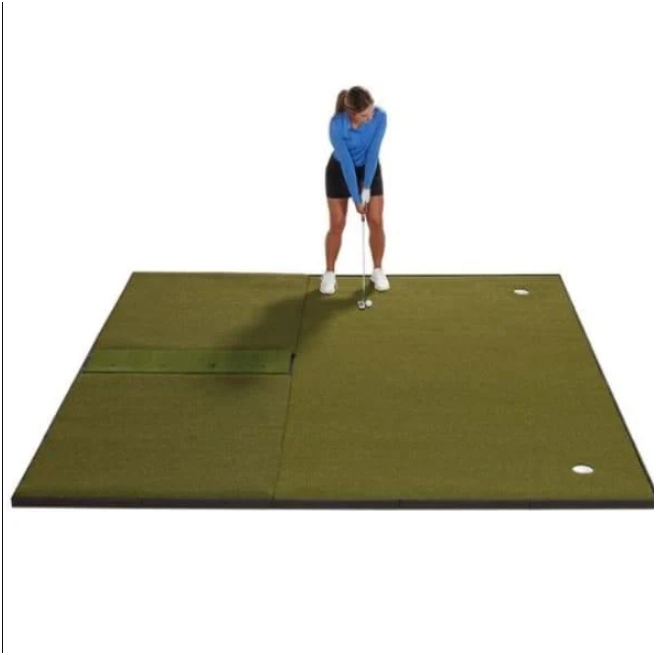
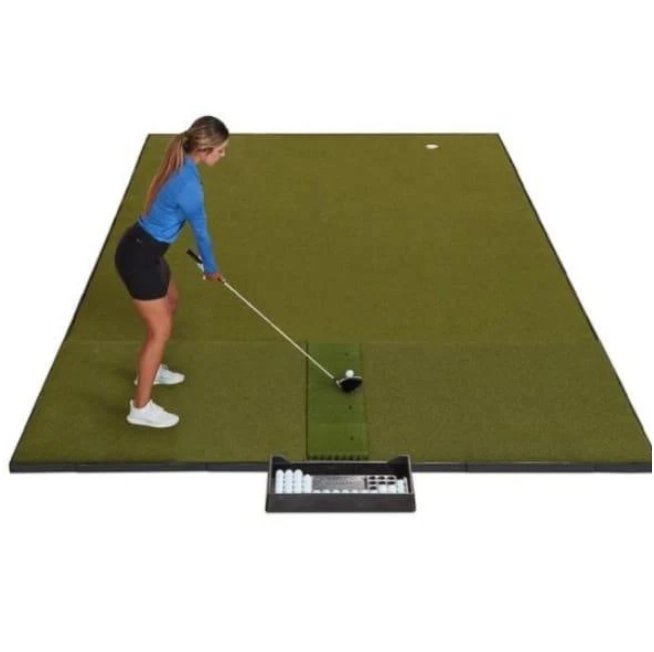
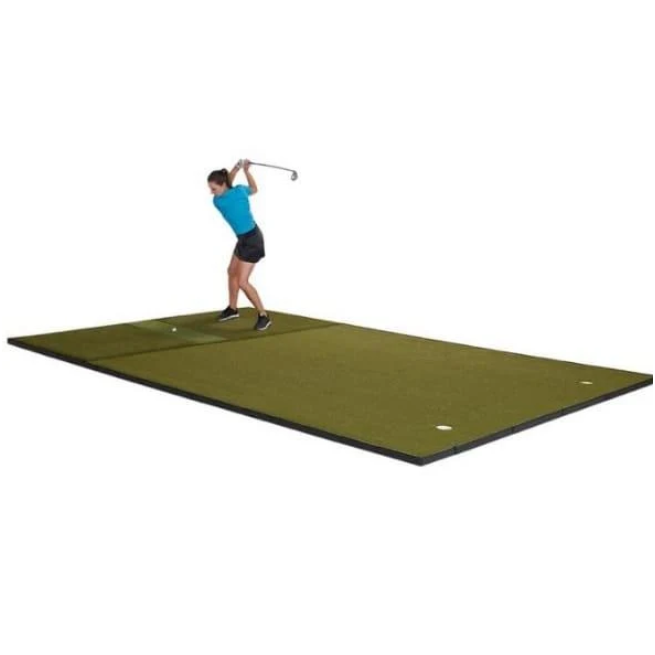
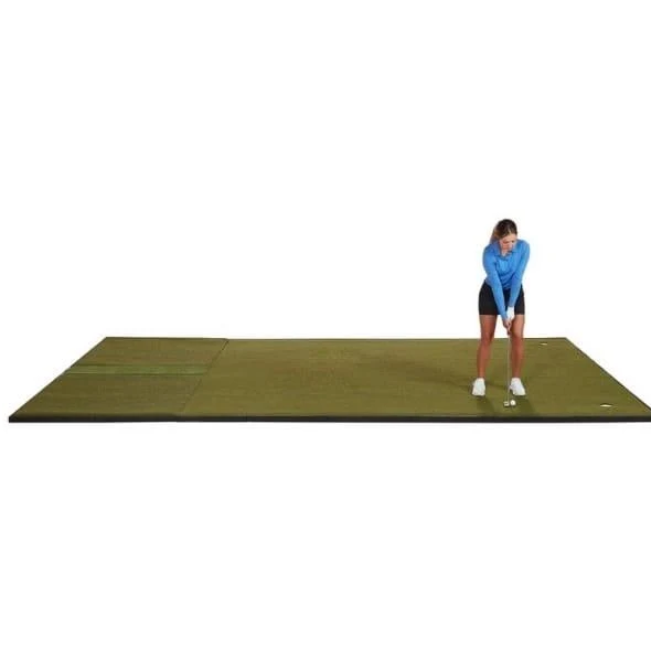
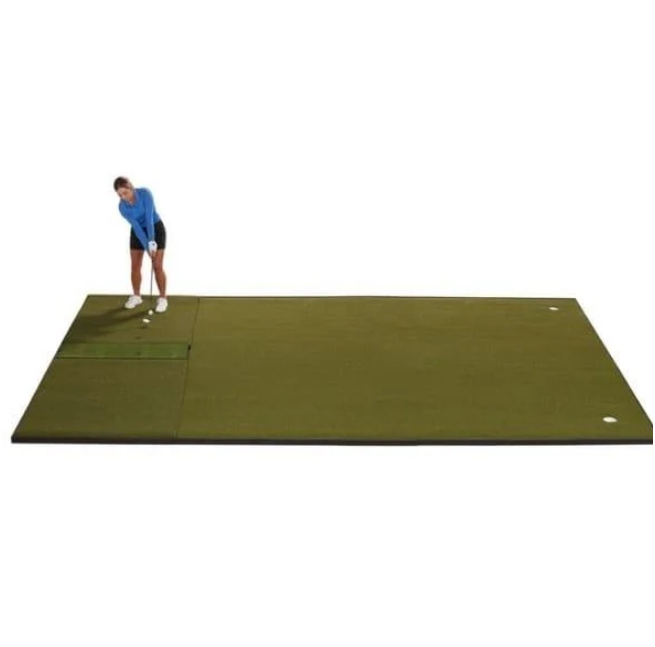
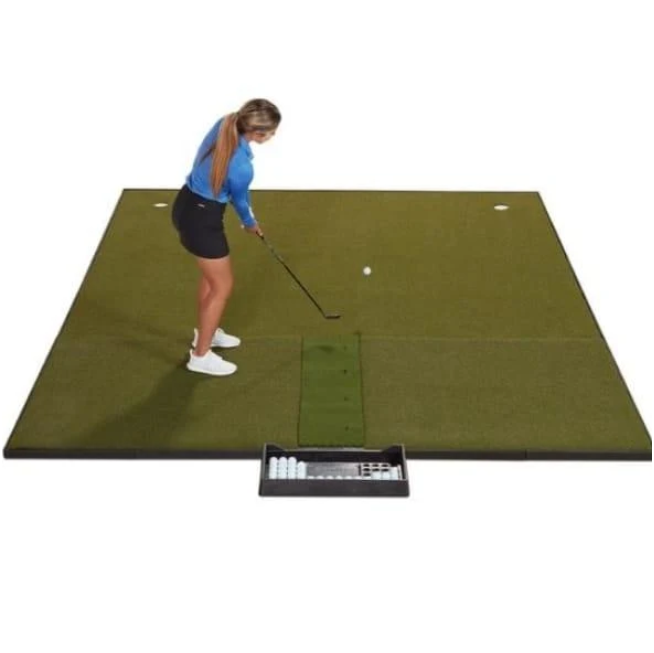
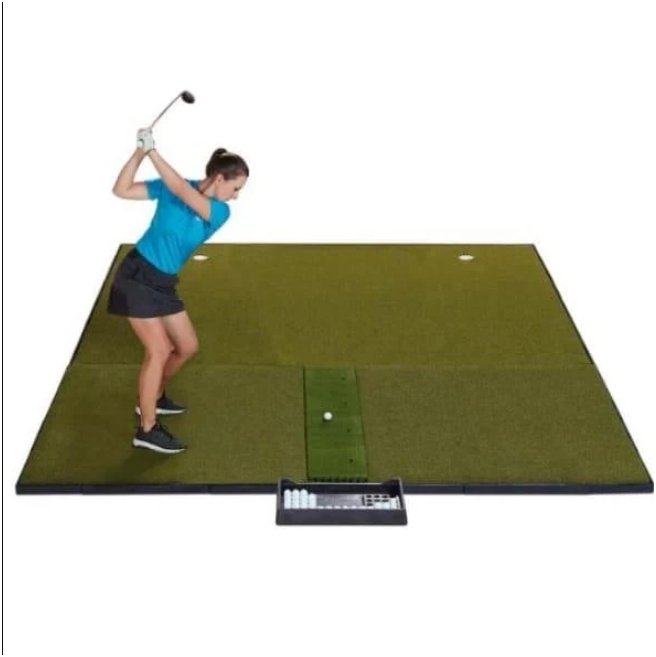
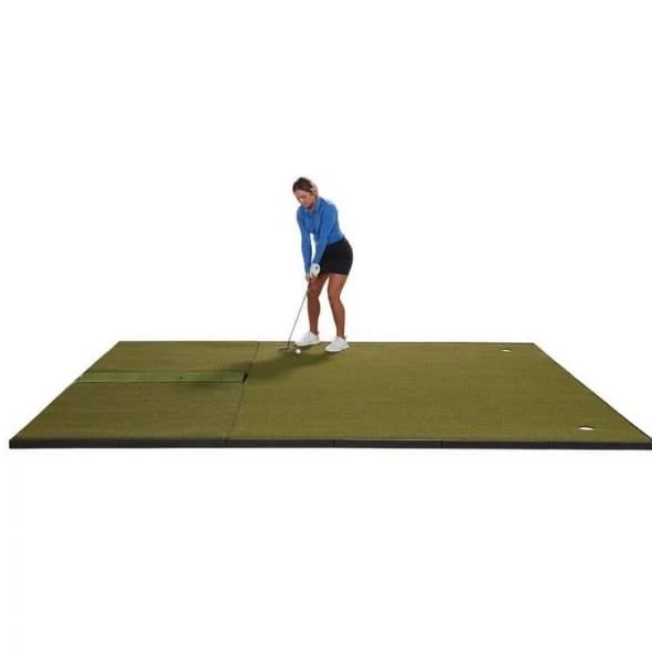
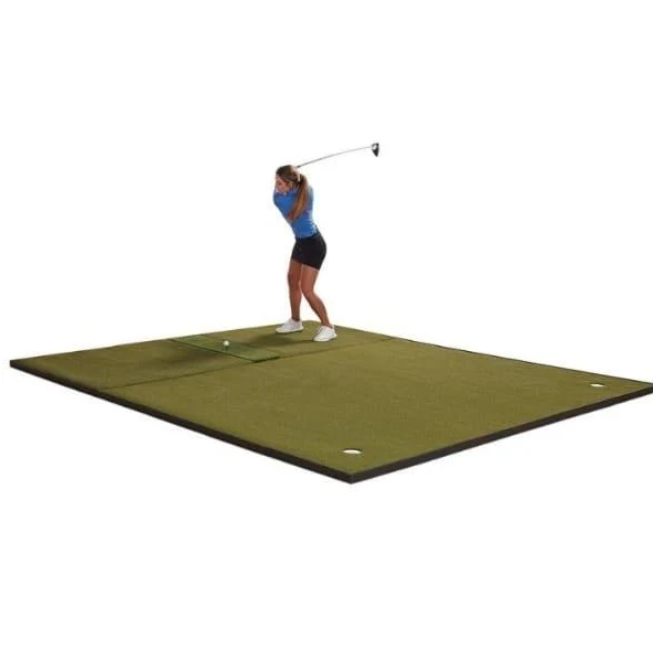
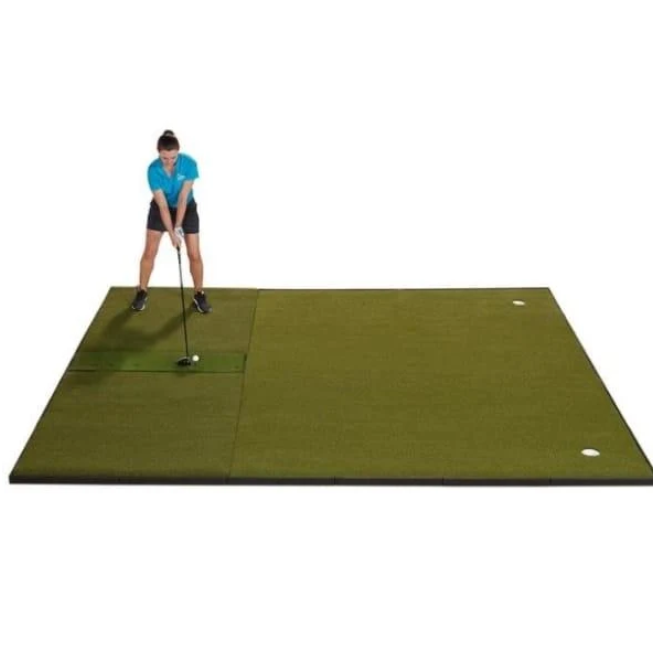
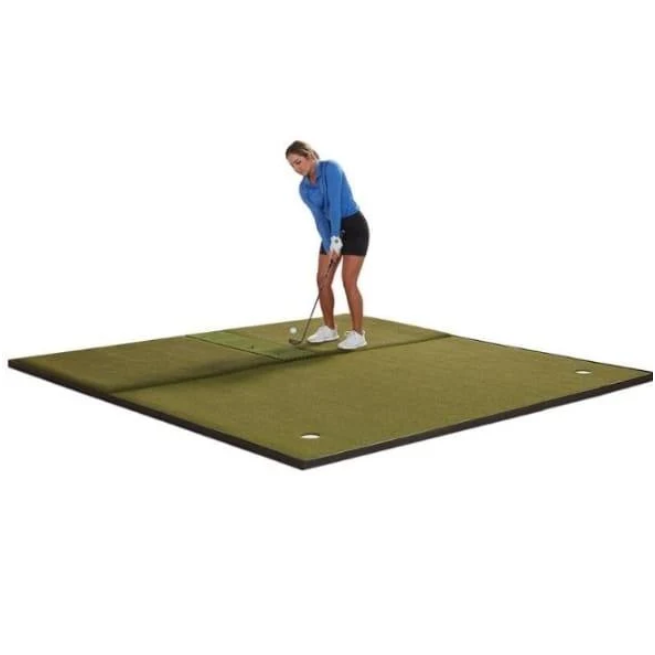
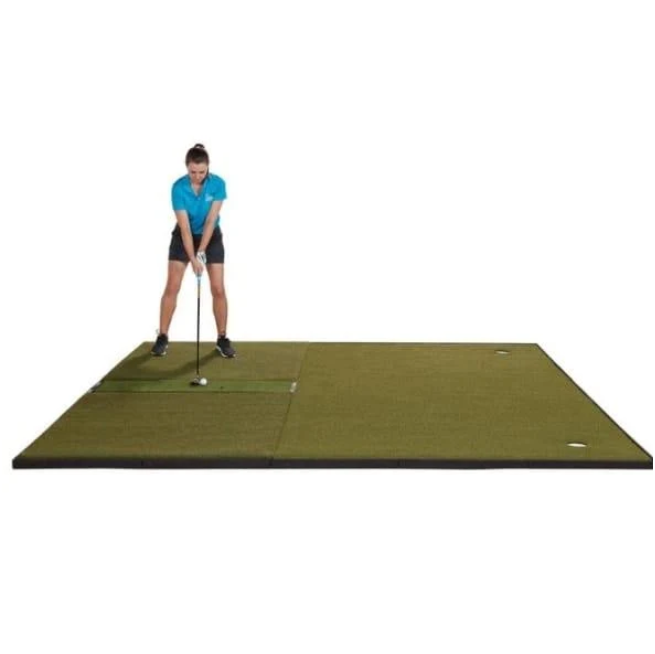
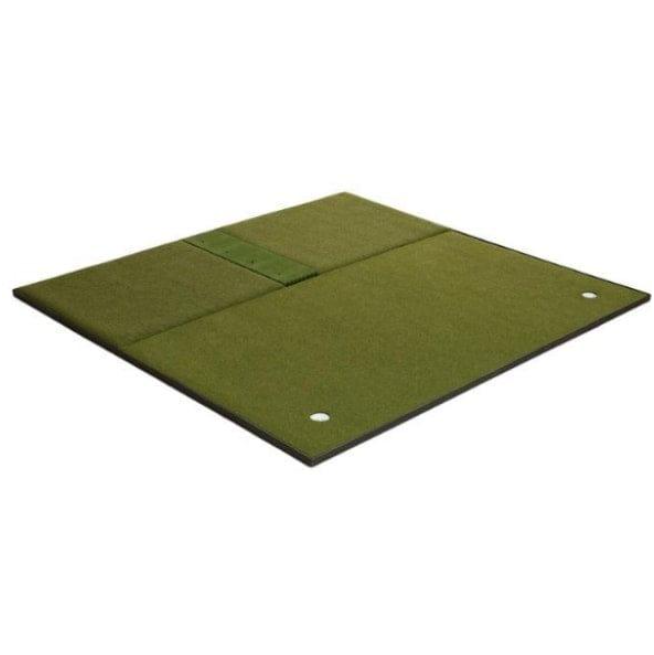
The Fiberbuilt Combo – Center Hitting combines a golf simulator hitting mat and an integrated putting green in one coordinated setup. It uses Fiberbuilt’s grass-blade turf style and positions the hitting area in the center. This gives golfers a defined strike zone for full-swing practice while keeping a putting surface within the same overall footprint. The layout suits simulator spaces that require a centered hitting position and creates a unified mat-and-green configuration.
The combo is available in 10′ x 10′ and 10′ x 12′ sizes. Both options use the same center-hitting configuration and integrated putting green. The main difference is the overall footprint. The 10′ x 10′ version provides a square layout, while the 10′ x 12′ version adds extra length. This gives golfers two options when matching the mat to their available simulator space and enclosure layout.
Fiberbuilt’s grass-blade turf gives the hitting area its distinctive construction. The product pairs this hitting surface with a putting green instead of limiting the setup to a small strike mat. Golfers can use the center section for full swings and move to the integrated green for putting practice. The combined format keeps both practice areas within one system and creates a more complete surface for a golf simulator setup.
The center hitting position forms an important part of the design. It creates a fixed strike location in the middle of the mat and provides a clear reference point when arranging the rest of the simulator. Golfers can plan the enclosure and launch-monitor position around this central hitting zone. This makes the configuration particularly suitable for setups designed around a centered ball position rather than a hitting area placed toward one side.
Launch-monitor alignment still requires careful attention. The hitting zone aligns with standard tracking fields used by portable and overhead launch monitors. Some overhead models require a specific hitting position. In those cases, the center hitting zone must sit inside the launch monitor’s required tracking field. Correct positioning allows the mat and tracking system to work together as intended.
The combo supports major launch-monitor setups that use standard portable or overhead tracking fields. However, different launch monitors can require different ball positions. Golfers should therefore position the mat around the tracking field required by their selected launch monitor. This helps maintain the benefits of the centered hitting area while keeping the ball inside the monitor’s required tracking zone.
The integrated putting green expands the setup beyond full-swing practice. Instead of adding a completely separate putting mat, golfers get a putting area as part of the combo configuration. This allows the same simulator surface to support hitting and putting practice. It also keeps the putting area connected to the hitting mat instead of creating another independent practice station.
This combination makes the product useful for golfers who want more than a basic hitting mat. A hitting-only surface focuses on ball striking, while the Fiberbuilt Combo incorporates another important part of golf practice into the same floor system. Golfers can work through their full-swing practice and then use the integrated green without needing to install a separate putting product.
The two size choices make the product easier to plan around different simulator layouts. The 10′ x 10′ option offers a square footprint, while the 10′ x 12′ configuration provides additional length. In either version, the center hitting location remains a core part of the design. Golfers can therefore select the footprint that better fits their space without changing the basic mat-and-green arrangement.
Before choosing between the two sizes, it is useful to consider where the hitting zone needs to sit in relation to the launch monitor and simulator enclosure. The overall mat dimensions affect how much floor space the system occupies, but correct hitting-zone placement remains essential. The right size should allow the center hitting position to line up with the required launch-monitor tracking field.
The mat-plus-green construction also gives the simulator floor a more coordinated layout. The hitting surface and putting area form parts of the same product rather than two independently selected surfaces. This keeps the practice setup focused around one system and gives golfers a clear central area for ball striking alongside a dedicated putting section.
Because the Fiberbuilt Combo – Center Hitting is sold as a standalone mat system, golfers can select their remaining simulator equipment separately. A launch monitor, projector, simulator enclosure, and accessories are not included with the mat. Buyers can therefore add the Fiberbuilt Combo to equipment they already own or use it as one component when planning a new simulator setup.
This standalone format offers practical flexibility when assembling a simulator. Golfers who already have a launch monitor do not need to purchase another one as part of the mat package. The same applies to the projector, enclosure, and other accessories. Each major component can remain separate while the Fiberbuilt Combo provides the dedicated hitting-and-putting surface.
For a new simulator setup, the center hitting position can serve as an important starting point for floor planning. Once golfers know where the ball needs to sit for their launch monitor, they can position the mat so the hitting zone matches that tracking location. They can then arrange the other simulator components around the selected mat footprint.
The same principle applies when adding the mat to an existing simulator. The central hitting zone needs to correspond with the launch monitor’s tracking area. Some overhead systems have particularly specific hitting-position requirements, so checking alignment before final placement is important. The combo’s defined hitting area makes that relationship easier to identify during setup.
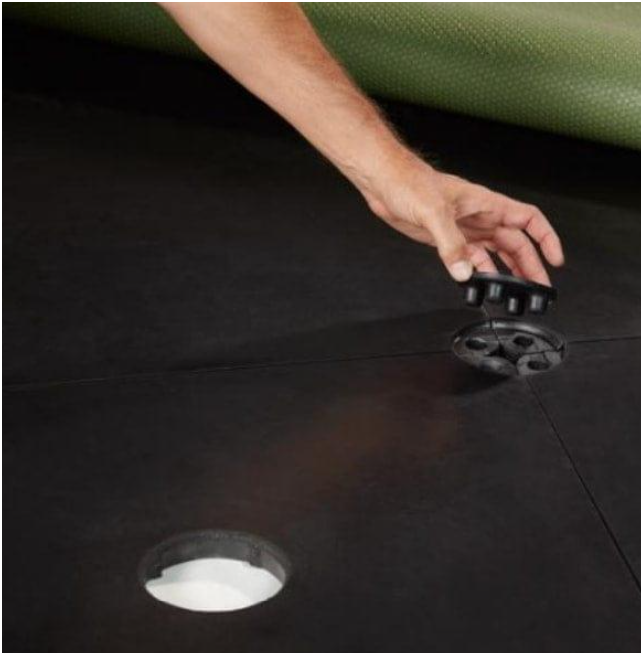
The putting section should also be viewed as an integral part of the product rather than an optional accessory. It belongs to the combo mat-plus-green construction and forms part of the overall practice surface. Golfers who want putting practice within their simulator area therefore gain that functionality without needing to add a separate standalone putting mat.
Both available sizes preserve the same basic product concept. Golfers get Fiberbuilt grass-blade turf for the hitting area, a center hitting position, and an integrated putting green. The size choice changes the footprint rather than the central purpose of the system. This makes it easier to compare the two options based primarily on available simulator space.
The Fiberbuilt construction also distinguishes the combo from unrelated simulator mats. Golfers specifically looking for the brand’s grass-blade turf style can retain that hitting surface while gaining the additional putting area. The product therefore combines Fiberbuilt’s characteristic hitting surface with a broader mat-plus-green layout.
The package includes the Fiberbuilt Combo Golf Mat – Center Hitting With Putting Green and manufacturer documentation. The mat carries a Fiberbuilt manufacturer warranty. The warranty duration is not specified as part of the listed product specifications, so no fixed warranty term should be assumed from the product information.
Overall, the Fiberbuilt Combo – Center Hitting suits golfers who want a Fiberbuilt hitting surface, a centrally positioned strike area, and an integrated putting green in one simulator-floor system. Its two footprint options provide flexibility for different spaces, while the defined hitting zone can align with standard portable and overhead launch-monitor tracking fields. The standalone format also allows golfers to choose their simulator hardware separately and build the rest of the setup around the mat.
Product Details
- Manufacturer: Fiberbuilt
- Product Type: Golf simulator hitting mat with integrated putting green
- Hitting Position: Center
- Available Sizes: 10′ x 10′ and 10′ x 12′
- Hitting Surface: Fiberbuilt grass-blade turf style
- Construction: Combo mat-plus-green configuration
- Launch Monitor Setup: Aligns with standard portable and overhead launch-monitor tracking fields
- Overhead Launch Monitors: Some models require a specific hitting position
- Warranty: Fiberbuilt manufacturer warranty
- Included: Fiberbuilt Combo Golf Mat – Center Hitting With Putting Green
- Documentation: Manufacturer documentation
- Sold Separately: Launch monitor, projector, simulator enclosure, and accessories
- Format: Standalone mat system
Product Features
- Center Hitting Position: Places the hitting zone in the middle of the mat for a centered simulator setup.
- Integrated Putting Green: Adds putting practice to the same system used for full swings.
- Fiberbuilt Grass-Blade Turf: Uses Fiberbuilt’s distinctive grass-blade turf style in the hitting area.
- Two Size Options: Available in 10′ x 10′ and 10′ x 12′ configurations.
- Launch Monitor Alignment: Aligns with standard portable and overhead tracking fields when positioned correctly.
- Standalone Mat System: Allows golfers to select the launch monitor, projector, enclosure, and accessories separately.
- Manufacturer Warranty: Comes with Fiberbuilt manufacturer warranty coverage and manufacturer documentation.