
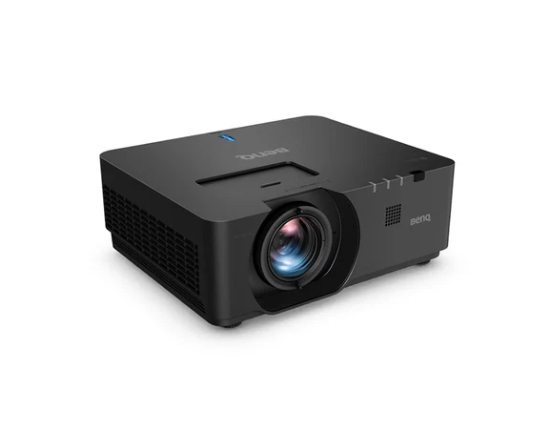
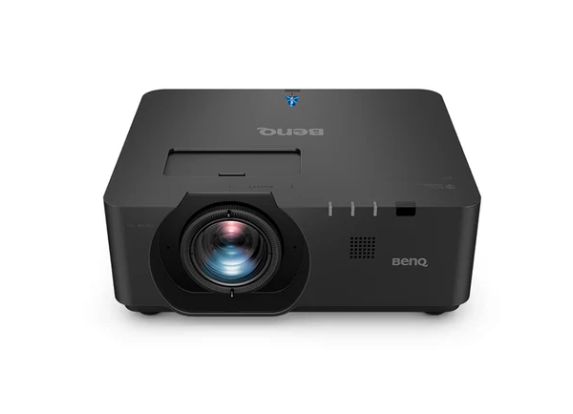
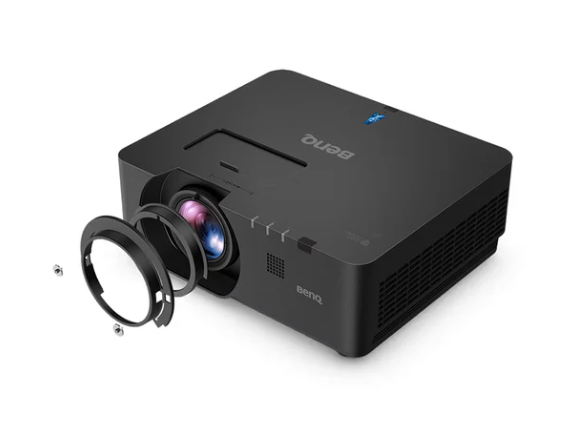
BenQ LU960ST2 5200-Lumen WUXGA Laser Short Throw Golf Simulator Projector
US$ 7,499.00
The BenQ LU960ST2 is the kind of projector you buy when your simulator bay is meant to run like reliable equipment that you use every day, not a weekend gadget. It’s a commercial-grade short-throw laser unit designed for bright, consistent output and flexible mounting, exactly the things that make a sim room feel “finished” and reliable over time. The short-throw lens keeps the projector close to the screen and out of the swing zone, reducing shadows and making ceiling mounting safer in tighter rooms. And because it’s laser-based, you’re not budgeting for lamp swaps or watching brightness drift as hours pile up.
Brightness is the first spec that actually changes the simulator experience, and the LU960ST2 is built around it. BenQ rates it at 5,200 ANSI lumens, which is enough output to keep an impact screen looking crisp even at larger sizes, and to hold up better if your room isn’t perfectly light-controlled. In practical terms, the image stays punchy, the course stays readable, and shot tracers and UI don’t get swallowed by a dull, gray wash of the screen.
Resolution matters just as much, especially for simulator software where you’re constantly reading small elements, carry numbers, club data, aim lines, and green grids. The LU960ST2 runs WUXGA (1920 × 1200) in a 16:10 aspect ratio, giving you a little more vertical room than standard 1080p. That extra height helps course interfaces and data overlays look cleaner and less cramped, and it can make fitting the projected image to common enclosure shapes easier without awkward scaling. BenQ also lists HDR format support (including HDR10 and HLG) in its picture modes, which can help preserve highlight and shadow detail when your content supports it.
It provides a short throw feature that keeps the bay comfortable. This model uses a 0.5:1 throw ratio, and BenQ notes it can produce an image up to 200 inches from a very short distance (roughly 2 meters, depending on setup). That lets you mount near the screen instead of above the hitting area, so righties and lefties can rotate through the bay without constantly battling their own shadow. It also reduces the chance of a club or ball ever getting near the projector.
Installation flexibility is where this projector separates itself from “close enough” options. Real sim rooms have joists, ducts, garage door tracks, lights, and limited mounting points. The LU960ST2 supports vertical lens shift up to ±55% and horizontal lens shift up to ±23%, which gives you meaningful freedom to mount where the room allows and then shift the image into position without relying heavily on keystone correction. Keystone is still available when you need it, but lens shift is the cleaner solution because it helps preserve geometry and sharpness across the screen. This is the difference between “dialed” and “almost.”
Responsiveness matters more than people expect, particularly in putting and short game, where any delay breaks the link between strike and result. BenQ includes Fast Mode and a dedicated Simulator Mode, both designed for interactive environments. BenQ’s published specs list input lag as low as 8.3 ms (at 1080p/120Hz), which is the kind of number that keeps sim golf feeling immediate instead of sluggish. In a home bay, it makes practice feel tighter; in a commercial or teaching bay, it keeps groups moving.
Color is the final piece of “believability.” BenQ highlights 92% Rec.709 coverage for the LU960ST2, and factory-calibration notes provide details such as white balance adjustment. The point isn’t to turn your simulator into a cinema, it’s to keep turf tones, sand, and sky looking natural enough that the picture doesn’t distract you. When the colors are steady and the contrast is strong, greens and bunkers read better, and the whole bay feels less like a projector and more like an environment.
This projector is also built for long-term ownership. BenQ rates the laser light source at about 20,000 hours (Normal), 38,000 hours (Eco), and up to 70,000 hours (Dimming mode) depending on how it’s run. Even if you’re using the bay regularly, those numbers translate to years of use without the maintenance cycle required by lamp projectors. That’s a big deal for anyone running back-to-back sessions, lessons, or league nights.
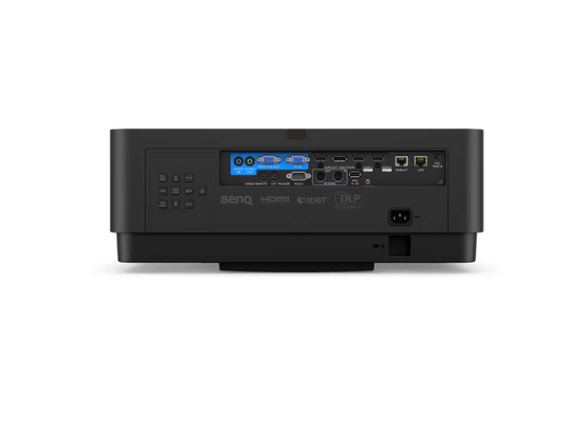
Connectivity and convenience features round out the package. This device offers extensive connectivity for integration with simulator PCs and AV systems, and the listing notes an integrated 10W speaker, useful for simpler builds that don’t need a full audio setup on day one.
If you want a simulator projector that stays bright on a big screen, mounts cleanly in real rooms, and holds up under frequent use, the BenQ LU960ST2 fits that job. It’s not trying to be clever. It’s trying to be dependable, sharp image, short throw, flexible alignment, low-latency modes, and laser longevity, so your bay runs like a proper training and play space.
Product Details:
- 5,200 ANSI lumens brightness for clear images on large impact screens
- WUXGA native resolution (1920 × 1200) in a 16:10 aspect ratio
- 0.5:1 short-throw lens to mount close to the screen and reduce shadows
- Laser light source to avoid lamp replacements and support high-use environments
- Laser life estimates: ~20,000 (Normal), ~38,000 (Eco), ~70,000 (Dimming) hours
- Vertical lens shift up to ±55% and horizontal lens shift up to ±23%
- High contrast DLP imaging for improved depth and detail
- 92% Rec.709 color coverage for more natural course visuals
- Fast Mode and Simulator Mode for responsive play with low input lag
- Integrated 10W speaker for basic built-in audio
- 3-Year limited manufacturer warranty
- 30-day returns on unused/undamaged units with a 15% restocking fee
Product Features:
- Projects a large simulator image from short distances to fit compact rooms
- Reduces player shadows by mounting close to the impact screen
- Keeps the projector out of the swing path to improve safety and comfort
- Maintains consistent brightness over time with a laser light source
- Improves readability of simulator overlays, menus, and shot data with WUXGA detail
- Supports flexible ceiling mounting with large vertical and horizontal lens shift
- Helps preserve image geometry by using lens shift instead of heavy tilt corrections
- Enhances realism with accurate color coverage and calibrated white balance options
- Delivers faster on-screen response using simulator-focused low-latency modes
- Integrates easily with simulator PCs and AV setups through broad connectivity support