
Uneekor Eye XR Launch Monitor and Golf Simulator
US$ 5,948.00
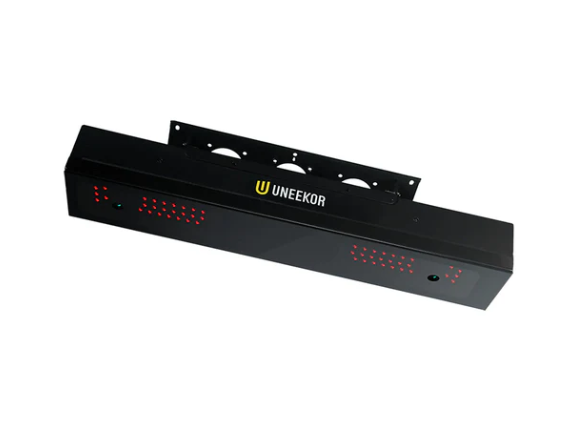
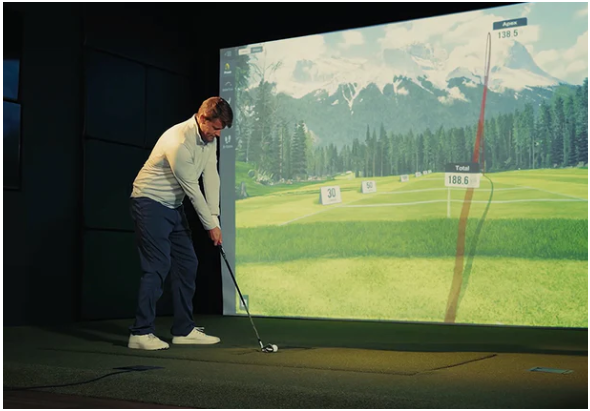
The Uneekor EYE XR is built for golfers who want a permanent, reliable simulator setup with pro-grade feedback and a clean hitting area. It’s a rear overhead system that mounts on the ceiling behind the strike point, so nothing is sitting in front of the ball, and nothing to step around. Once it’s installed and aligned, you can walk in, hit shots, and get consistent numbers without turning every session into a setup routine.
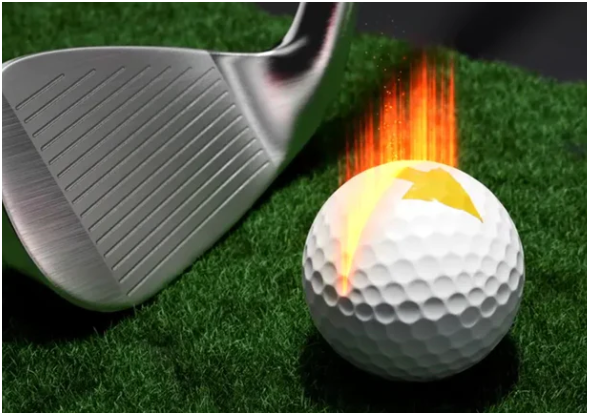
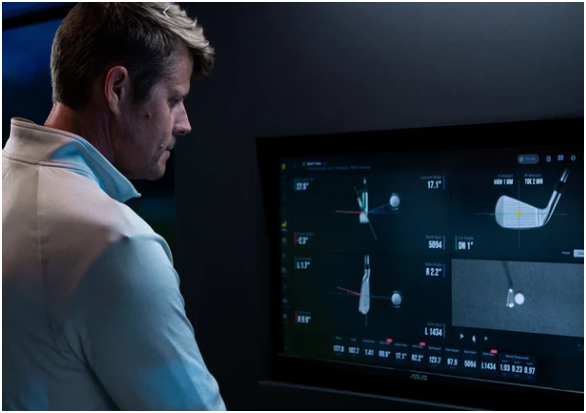
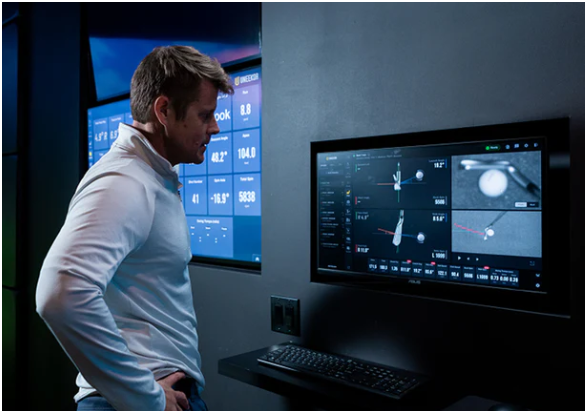
The EYE XR’s core value is how it captures data. It combines Uneekor’s Dimple Optix and Club Optix approaches to deliver 19 data points with a strong emphasis on visual confirmation. Dimple Optix uses infrared camera capture of the golf ball’s dimples to analyze flight and spin. At the same time, Club Optix delivers high-resolution impact visuals so you can see what happened at strike instead of guessing based on feel. For a lot of golfers, that’s the difference between “I think I hit it thin” and “I know where contact was and what changed.”
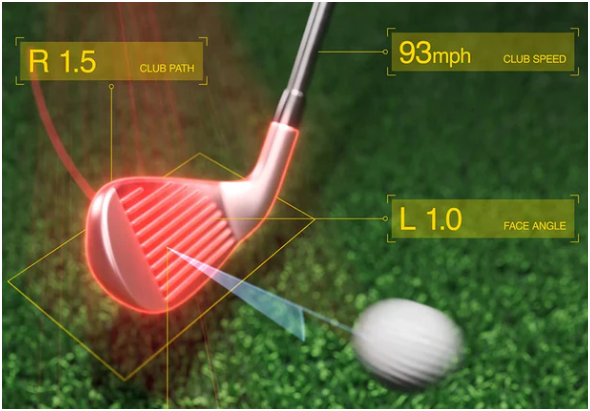
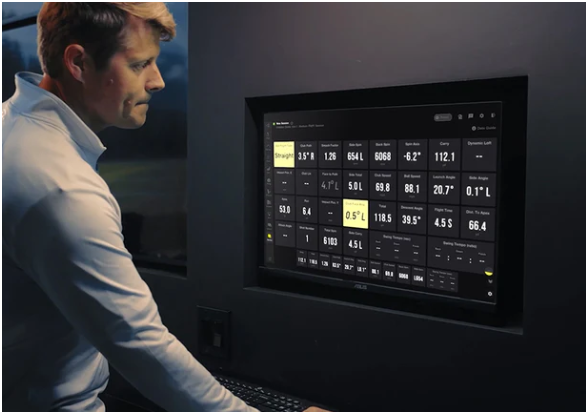
Where the EYE XR fits best is for the golfer who wants training-grade feedback at home, club delivery, ball flight, and outcomes that hold up when you’re working on something specific. It provides core club metrics like club speed, smash factor, club path, and face angle, plus a full spread of ball metrics including ball speed, launch, spin components, spin axis, flight time, apex, descent angle, and carry/run/total distance. That mix is enough to diagnose start-line issues, strike quality, launch/spin windows, and distance control without needing a second device to fill in the gaps.
This is also a setup designed to reduce “sim friction.” The EYE XR is compatible with any ball type and provides club tracking with no stickers or decals required. That matters if you actually want to practice often. You can hit your normal ball, use your normal clubs, and keep your routine simple.
Installation is one of the biggest advantages of a rear-mounted overhead unit, provided you plan the room correctly. Uneekor’s manual calls out two non-negotiables for accuracy: the EYE XR must be positioned 3 ft 6 in (1 m) behind the tee position, and the ceiling height should be 9–10 ft (2.7–3 m). If your ceiling is higher, Uneekor notes you may need a drop mount so the unit sits in the correct height range.
The designers of this device provide a planning checklist: about 13′ of width (15′ if you’re 6’+ and long), 9’–10′ of height, 10’–12′ of depth from screen to hitting zone, and 3.5′ from the EYE XR to the hitting zone. Those numbers help you avoid the most common simulator mistake: buying great hardware and then trying to force it into a room that can’t support comfortable swings.
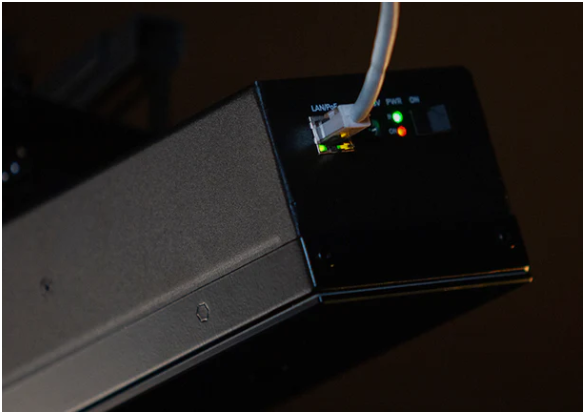
The install itself is designed to be clean. The EYE XR supports Power over Ethernet, meaning power and data can run through a single cable path to the unit for a tidy ceiling install. Uneekor’s manual shows the PoE adapter and LAN cable setup, and PoE is listed as a key convenience feature. The practical benefit here is reliability and aesthetics: fewer loose cables, fewer connection points, and a setup that looks like it belongs in a finished sim room.
When you buy this powerful device, you get more than a “device only” shipment. The listing includes the EYE XR, Uneekor Launcher software, a Player Package, and a 3-month Ultimate Package trial, along with the mounting and calibration pieces: mounting bracket with leveler, calibration board, level, power cable/adapter/connector, USB Ethernet adapter with a long Ethernet LAN cable, screws, and bracket angle guide pins.
In other words, it’s positioned as “ready to install,” assuming your room is built and you have the basic tools needed for ceiling work.
Because this is a camera-based overhead system, your computer matters; the EYE XR runs through a Windows PC, and Uneekor/Top Shelf Golf provides minimum specs meant to keep the experience smooth: Intel i7 (10th gen+), 16GB+ RAM, NVIDIA RTX 30 series or later, 16GB+ GPU memory, 200GB+ free storage, and Windows 11 64-bit.
If your current PC is borderline in graphics and other technical requirements to run this device, you’ll feel it first in simulation responsiveness and rendering quality, not in the launch monitor itself, so it’s smart to treat the PC as part of the build, not an afterthought.
Uneekor’s ecosystem is also built for expansion. If you want more than launch data, like a dedicated swing video. It is compatible with add-ons, such as Swing Optix cameras and software for face-on and down-the-line capture. That gives you a clean upgrade path: start with ball/club feedback, then layer in video tools if you want deeper coaching-style analysis.
Finally, it’s worth being clear about returns before you activate the software. The Uneekor’s return terms for launch monitors and base-level software state that eligible returns must be made within 15 days of license activation or 60 days of receipt, and authorized returns must be unused, in new condition, and in original packaging, with a 15% restocking fee. The listing also notes inspection on delivery and specific steps for reporting shipping damage.
If you want an overhead launch monitor that keeps the floor clear, works with normal balls and clubs, and provides both metrics and impact visuals, the EYE XR is a strong fit. It’s the kind of setup that rewards golfers who practice consistently: stable installation, repeatable data, and a feedback loop that makes it easier to connect swing changes to real ball flight, without extra prep work every time you hit “start.”
Product Details:
- Rear-mounted overhead design that stays out of the swing path
- Tracks 19 total performance metrics for ball and club analysis
- Patented Dimple Optix + Club Optix tech for precision tracking and impact visuals
- AI club tracking that removes the need for club stickers
- Works with standard golf balls (no marked-ball requirement)
- Power over Ethernet support for a clean, reliable single-cable run
- Recommended room guidelines: ~13′ width, 9’–10′ height, 10’–12′ depth
- Included items: mounting bracket/leveling tools, calibration board, cables/adapters, and software bundle with trial
Product Features:
- Rear-mounted tracking design that keeps the floor area clear and protects the unit
- High-speed infrared camera tracking for consistent ball and club data capture
- Provides 19 total metrics to support skill-building practice and fitting decisions
- Dimple Optix technology to improve ball spin and flight measurement accuracy
- Club Optix impact visuals that help golfers review strike location and face delivery
- AI-powered club tracking that eliminates the need for club stickers in normal use
- Compatible with standard golf balls, so that you can practice without marked balls
- Power over Ethernet support that simplifies installation by reducing cable clutter
- Includes mounting and calibration accessories to help align and level the system correctly
- Includes Uneekor software bundle with a 3-month Ultimate Package trial for added training tools